Webelix
Cut the work of maintaining templates across 20+ frameworks from a team of 10 developers to a single person, with the whole workflow automated.
- Role
- Co-lead and full-stack developer at Coderthemes
- Duration
- 2–3 months, from Dec 2025
- Stack
- Next.js, TypeScript, Python
Context
At Coderthemes we sell admin dashboard templates on ThemeForest, and every template ships in more than 20 frameworks, in both Bootstrap and Tailwind CSS. Every time a design changed, a page was added or a library was updated, the same change had to be done again in every framework by hand. That work was spread across a team of around 10 developers.
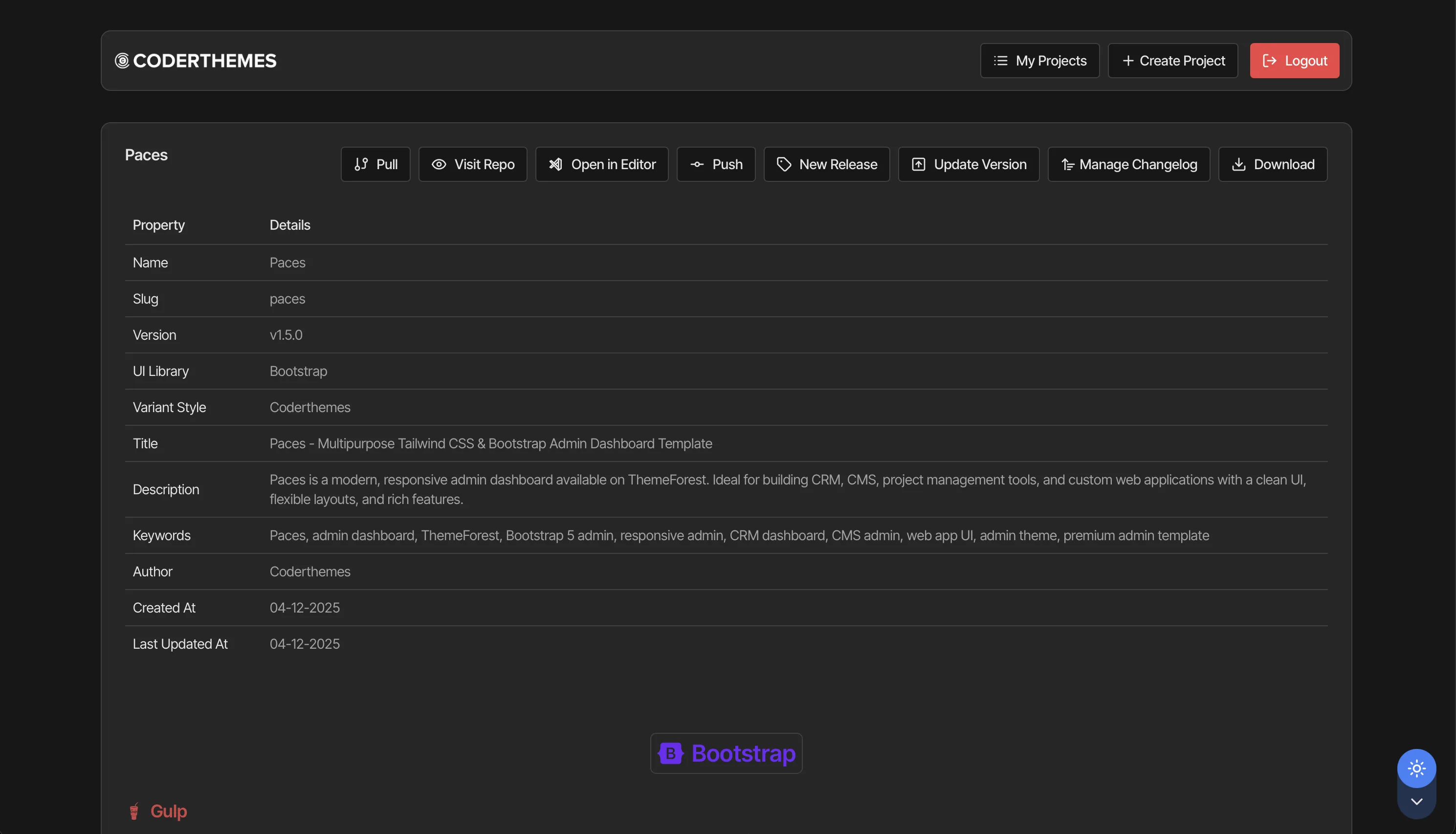
Webelix is the internal application we built to automate all of that. It's a Next.js app used only inside the company, so I can't link to it, but the screenshots below show how it looks.
How it works
When we create a project, we choose the UI library (Bootstrap or Tailwind CSS), select which pages to include (apps, auth pages, UI pages and so on), choose the icons for the whole project, add the meta data, and arrange the left sidebar menu with drag and drop.
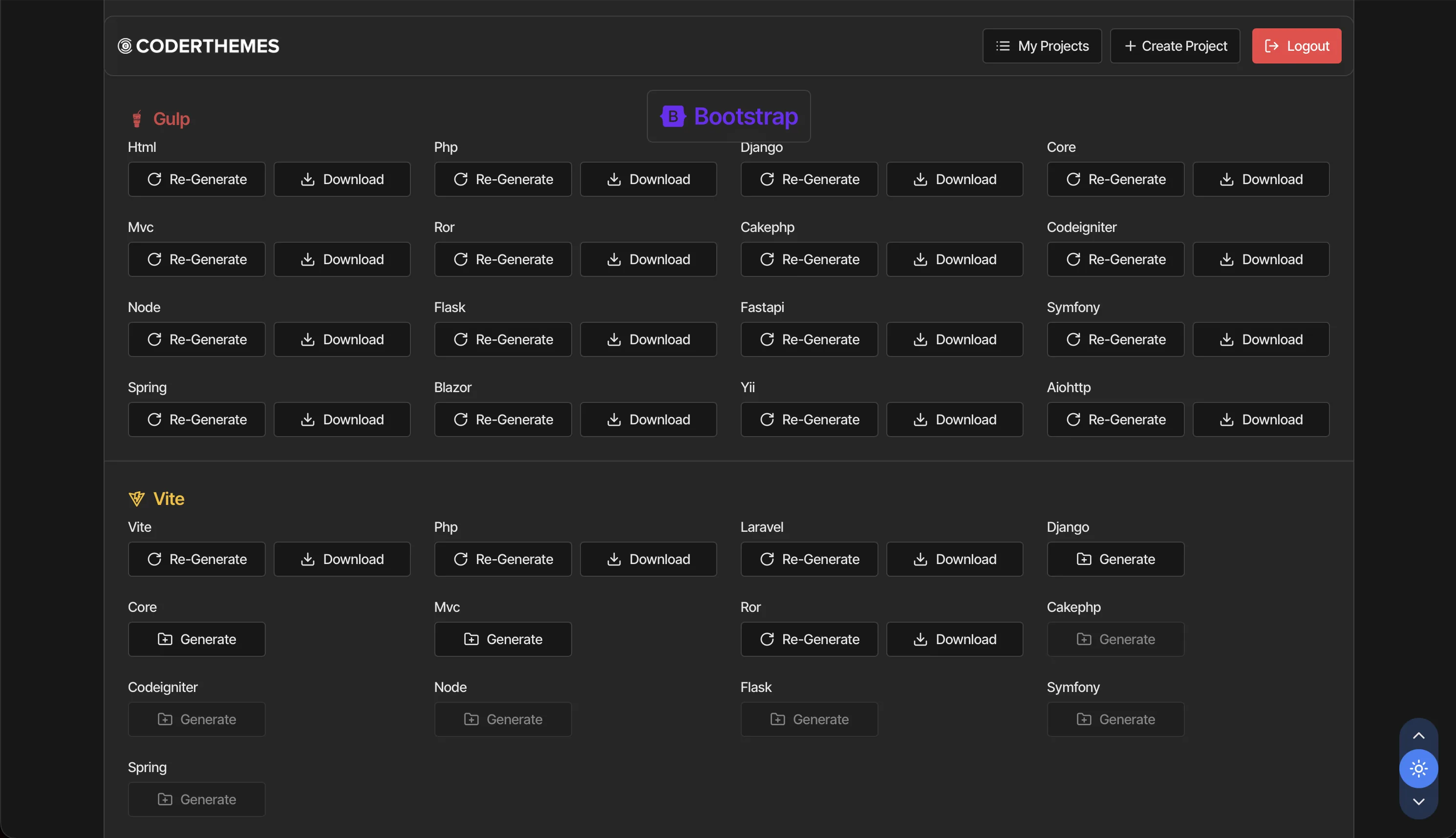
After that, Webelix generates the project for every framework from the registry. The backend frameworks go through Transpilex, and the frontend frameworks are generated by the app itself.
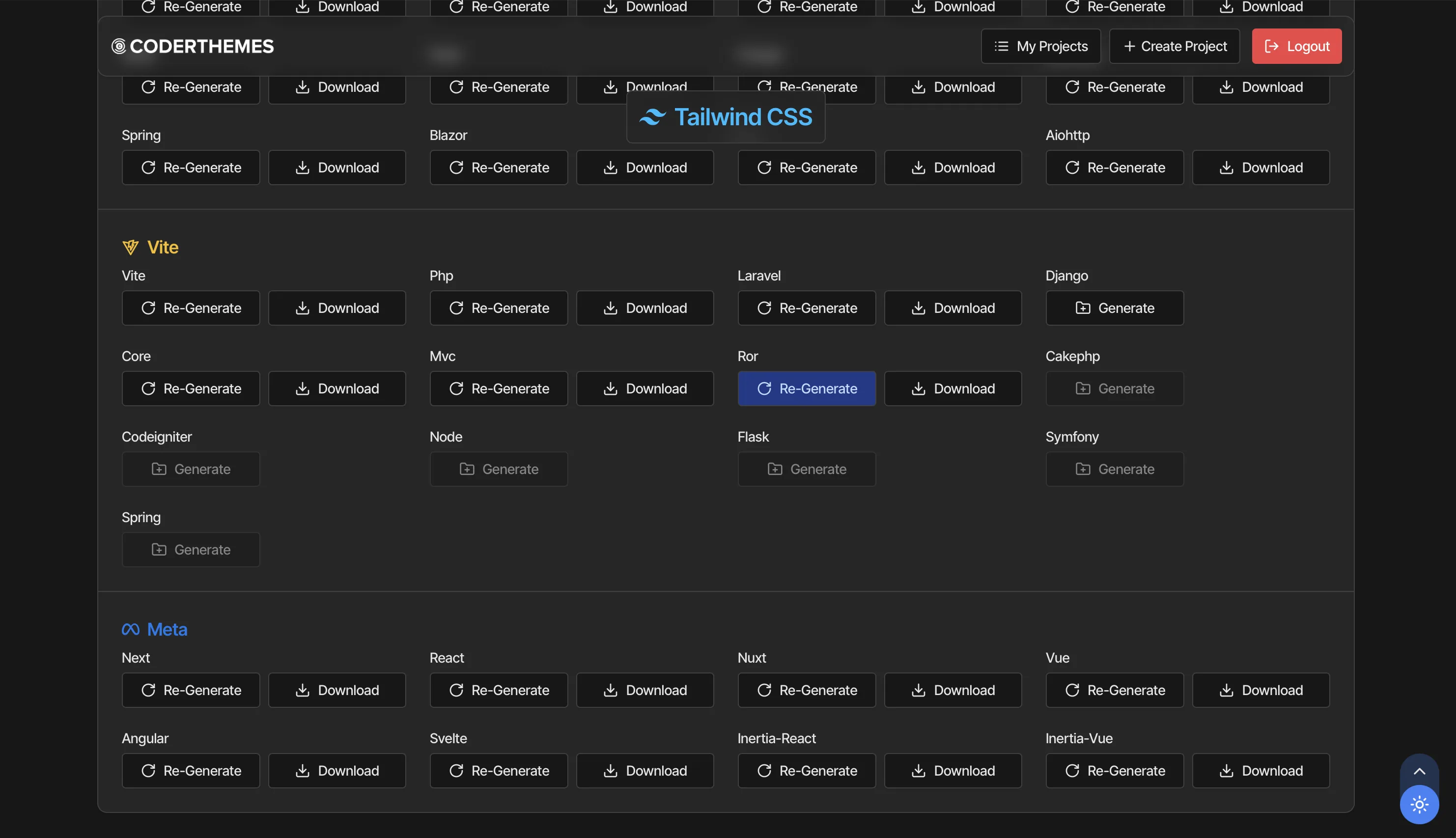
The best part is regeneration. If we want to change some code, update a library or edit a page, we only update it in the registry and press Re-Generate. Every framework gets the change, and from the same screen we can pull, push, create a new release, update the version, manage the changelog or download the project.
20+
Frameworks
Next, React, Nuxt, Vue, Angular, Svelte, Inertia, Laravel, Django and more
2
UI libraries
Bootstrap and Tailwind CSS for every framework
10 → 1
Developers needed
To maintain all templates across frameworks
The registry
The registry is the single source for everything. It holds JSON schemas for each variant, and global data like the menu, icons, plugins, widgets, languages and customizer options, plus the documentation for every framework. Pages and components are written once there, and every framework reads from it.
Source
Registry
Pages, components, plugins, menus and docs, written once and validated with JSON schemas.
Backend frameworks
Transpilex
Converts the generated HTML into Django, Laravel, Rails, Spring, Blazor, ASP.NET Core and others.
Frontend frameworks
Webelix generators
Builds Next, React, Nuxt, Vue, Angular, Svelte and Inertia projects directly from the registry.
The hard parts
Building the registry
Completing even one frontend framework needs a lot of things: routes, plugins, reusable components, and the right CSS and main index file for each page. The registry had to describe all of this in a way that works for every framework, and it had to include only what the selected pages actually use, not everything.
Trade-off: Everyone on the team had to follow the registry structure strictly.
Integrating Transpilex with the Next.js app
Transpilex was a Python CLI and Webelix was already a Next.js application. I had to connect them so that the app could run Transpilex for the backend frameworks, pass it the selected pages and options, and bring back a complete project that can be regenerated anytime.
Trade-off: The app depends on Transpilex's CLI and has to stay in step with it.
Result
The whole workflow became automated. Maintaining all templates in all frameworks used to need a team of 10 developers, and now a single person can do it. A change that used to be repeated in every framework is now done once in the registry.